No request gets lost
A customer asks to talk to someone? Her request enters the pipeline with her contact details and where she came from: newsletter, ad, website.
Powered by Requests come in on their own check_circle
 RevOps
Every request lands in your pipeline with its source, an automation follows up, your team steps in at the right moment, and you see which campaign paid off. The Quotes extension is included.
200 DH/ month
Create your store to install this offer.
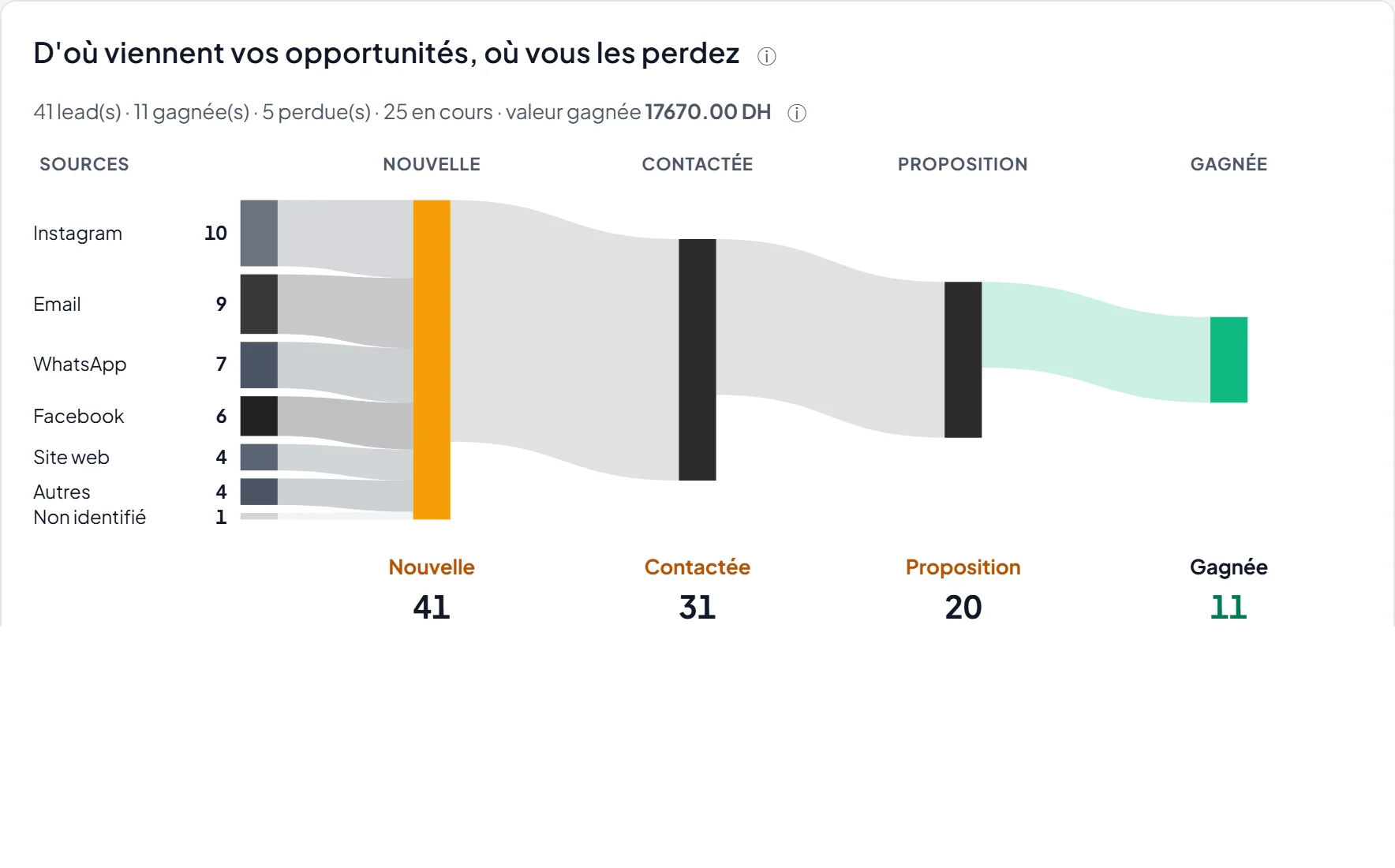
Where your opportunities come from, where you lose them (interface in French)
Requests come in by WhatsApp, forms and ads. Without follow-up, some are forgotten, and you do not know which campaign really pays.
RevOps brings your opportunities together and puts numbers on what works.
A customer asks to talk to someone? Her request enters the pipeline with her contact details and where she came from: newsletter, ad, website.
Powered by Requests come in on their own check_circle
An automation writes to the prospect; if they ask for a call back, a task lands in the Action Center with their contact details.
Powered by Automations check_circle
Revenue attributed to a campaign, associated revenue and the cost you enter: compare your actions on real numbers.
Powered by Attributed revenue check_circle
Add the extension from this page; Quotes is included.
Your sales agent's requests come in on their own; you can also paste a list: duplicates are spotted before adding.
Move opportunities forward, launch automations and follow revenue.
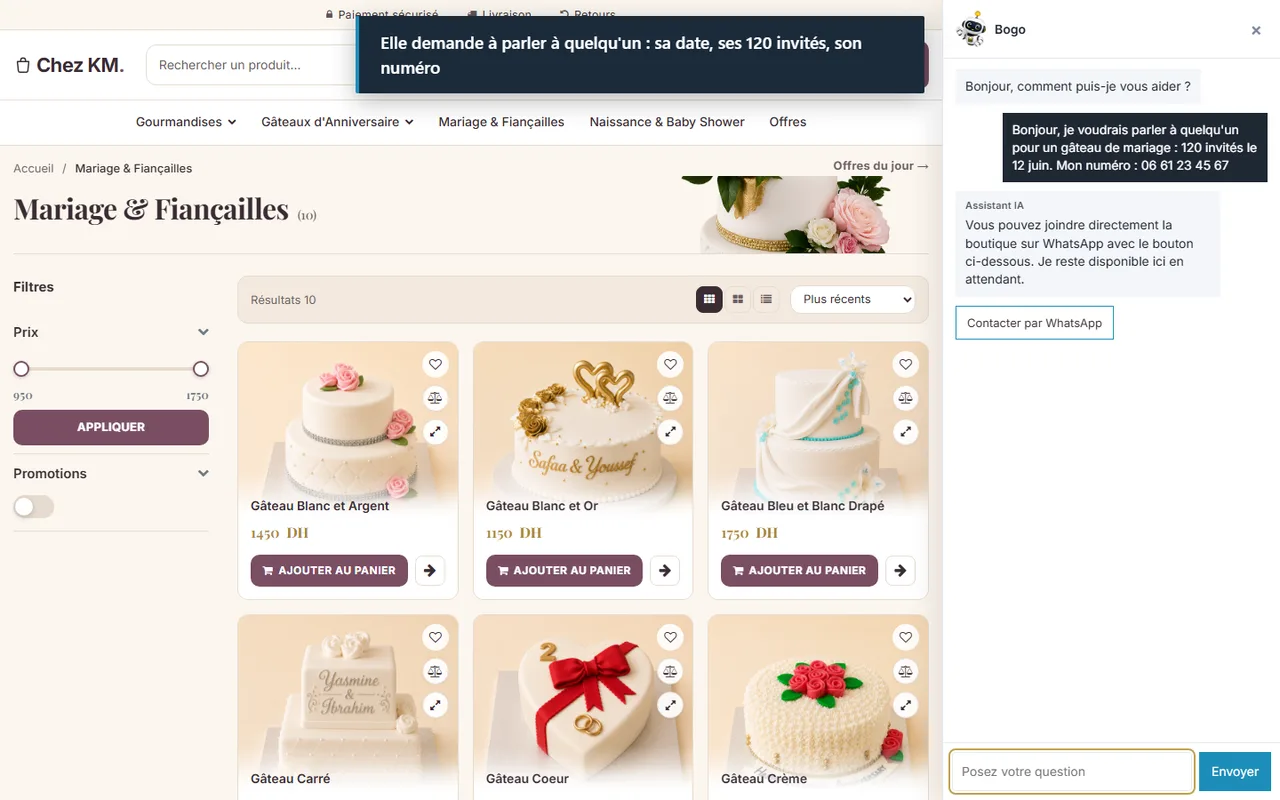
Recorded on a real SimWebShop store (Chez KM, real products and real prices) with a fictitious customer. The captions in the video are in French.
Your opportunities by stage, won or lost, with their full history.
Requests made to your sales agent join the pipeline within minutes, with the contact given and the visitor's source.
Each prospect gets an intent score and a level (hot, warm, cold), with the reasons, based on what they did.
From ready-made templates: qualify, follow up on a quote, chase silent prospects; stops automatically when the customer pays.
When a prospect asks to be called back, a "Call back" task lands in the Action Center, with WhatsApp, call and email logged.
Create a quote from the opportunity with your real products; the customer accepts it online and it becomes an order at the agreed price.
Revenue linked to a campaign by an explicit link, associated revenue kept apart, cost entered to compute the return.
Today, this month, coming up: month's revenue, money to collect, tasks, pipeline flow and peak periods to prepare.
Examples of use, given for illustration.

TrainingExample
Campaign contacts are imported, followed up by segment, and the hottest are flagged to you for a call.

Pastry, cateringExample
A wedding cake request becomes a quote, accepted online; once the order is paid, the deal is won.

FashionExample
The night alert lists regular customers who stopped ordering, to contact on WhatsApp.
Create your store to install this offer.
User guideRevOps costs 200 DH per month. The Quotes extension is included; you do not pay for it separately.
From requests made to your sales agent (with the visitor's source: newsletter, ad, website), contact messages for service and booking businesses, event registrations, bulk adds or manual entry.
Email sending is opened by the SimWebShop team; a monthly quota applies and emails go out during the day. The pipeline, non-email automations and figures work as soon as it is activated.
No. It tracks clicks and call-back requests, not written replies.
« Attributed » revenue comes from an explicit link (opportunity, campaign). « Associated » revenue is a sale by the same customer after opening: a coincidence in time, not proof of effect. Both are shown separately.
No. It helps write; rules and decisions stay yours.
Automations stop and resume on reactivation. Your opportunities and history are kept.
Turn on RevOps and find all your opportunities in one place, Quotes included.
Create your store to install this offer.