Every action has an owner
Hand an action to a team member: they are notified and find it on the board, marked "You".
Powered by Hand to a member check_circle
 Team collaboration
Hand each Growth action to the right person on your team, see who does what on the Kanban and work on the same board live.
99 DH/ month
Create your store to install this offer.
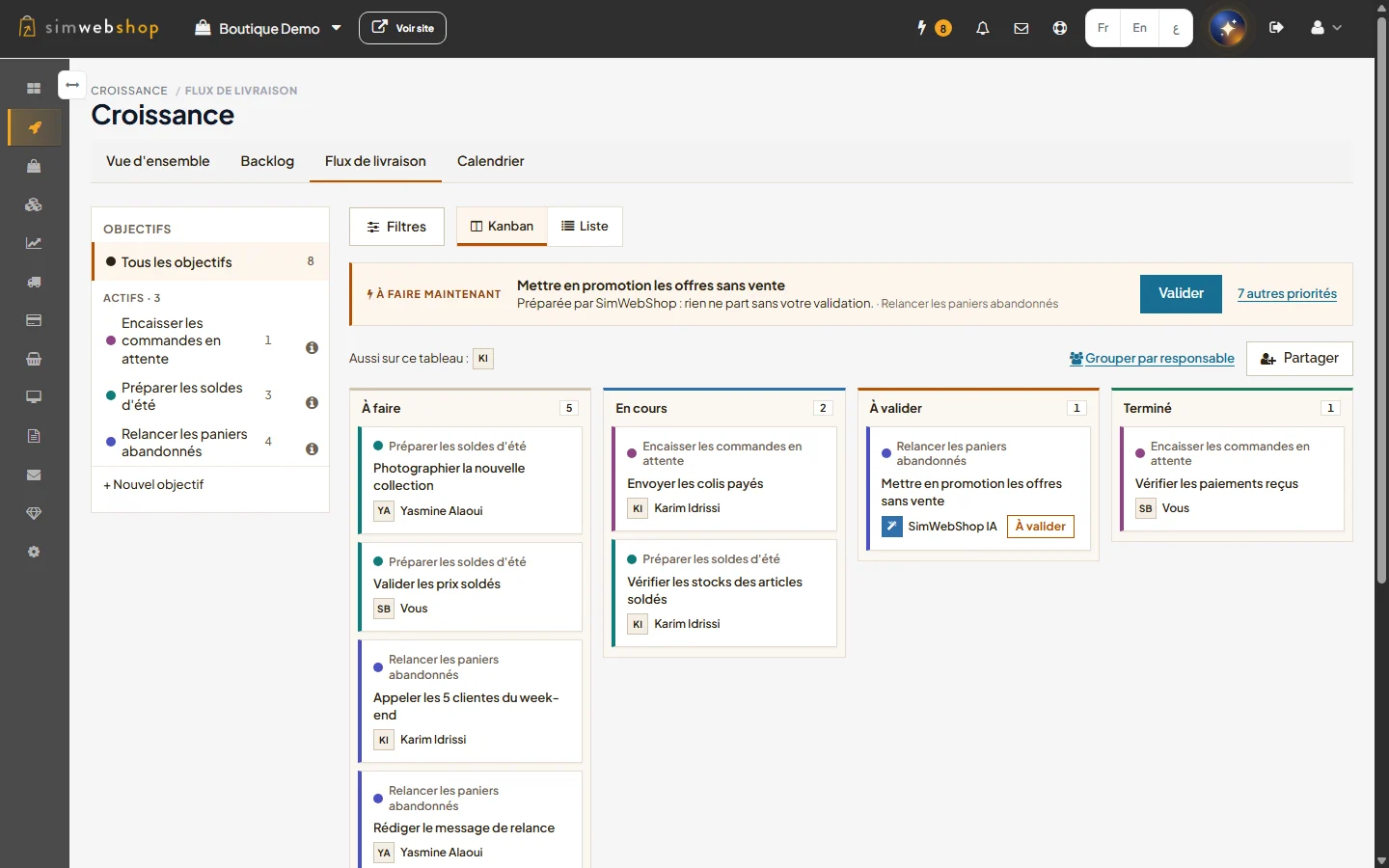
Who does what, live (interface in French)
When every action rests on the owner, follow-ups wait, approvals pile up and nobody else knows where the plan stands.
With Team collaboration, every action has its owner and everyone sees what is theirs.
Hand an action to a team member: they are notified and find it on the board, marked "You".
Powered by Hand to a member check_circle
Filter the Kanban, the List and the Calendar by member, or group the board by owner.
Powered by Kanban by owner check_circle
See who is working on the board; cards update without reloading the page.
Powered by Live presence check_circle
Add Team collaboration from this page, or move to the Scale pack, which includes it.
From "Share", invite a collaborator: they only see what their role allows.
In an action's panel, choose its owner; they find it on their board.
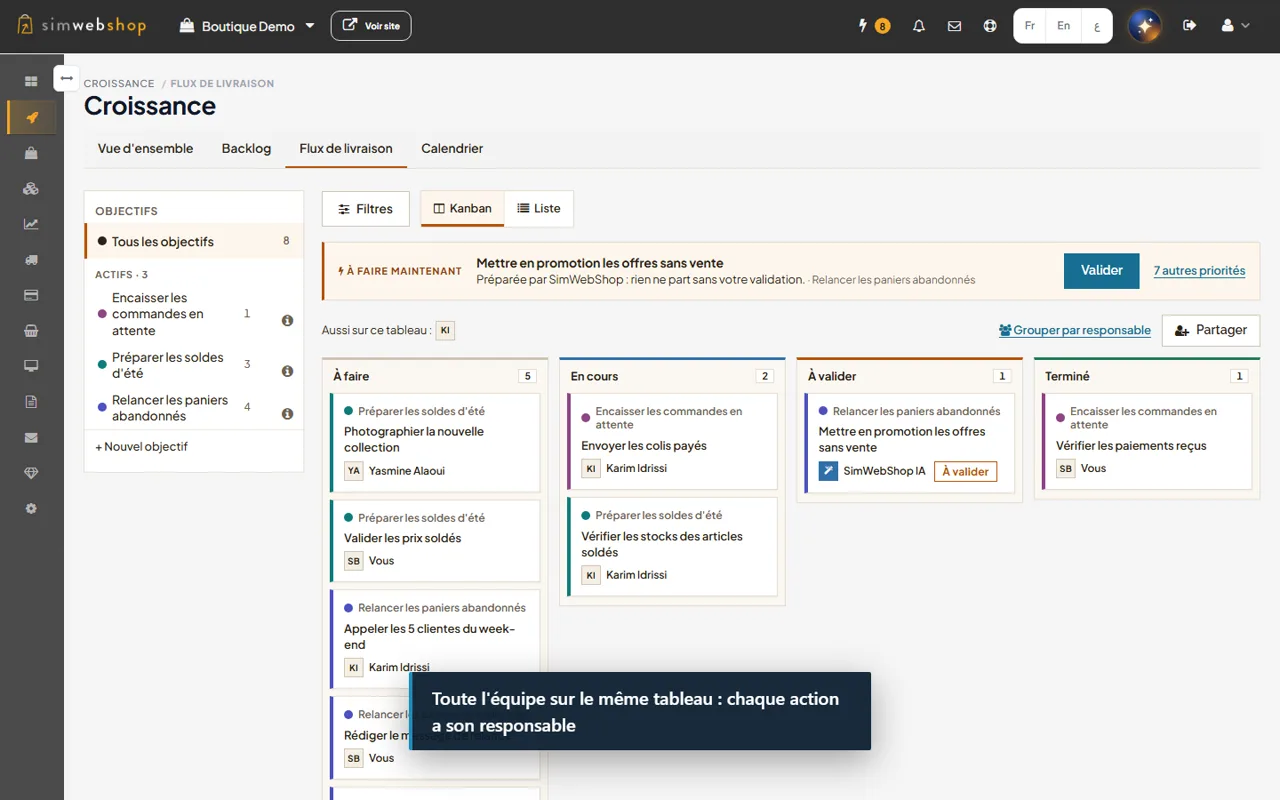
An action's owner can be any authorised member of the store.
Add a task straight into a member's lane of the grouped Kanban.
The "Owner" filter lists every member, in the Kanban, the List and the Calendar.
One lane per person, SimWebShop AI on its own.
See who has access to the board and invite a collaborator with the right role.
Members on the board are shown; a card moved by someone else appears without reloading.
Everyone keeps their role's rights; a member of another store is never offered.
Examples of use, given for illustration.

FashionExample
Customer follow-ups go to the assistants, the manager approves the promotions.

TrainingExample
The assistant prepares enrolments, the trainer follows his actions in his Kanban lane.

CraftsExample
Photos, product pages and shipments are shared out, everyone sees what is theirs.
Create your store to install this offer.
The extension costs 99 DH per month, with no member limit. It is included in the Scale and Enterprise packs.
No. Growth stays complete without it: you own your actions, you can hand them to SimWebShop AI depending on your pack, and the discussion with mentions remains available.
No. Everyone keeps their role's rights. Handing an action grants no extra right.
No. An action handed to SimWebShop AI always waits for your approval, with or without the extension.
Nothing is deleted: actions already handed out keep their owner, who can finish them. You simply can no longer hand new ones to other members.
Turn on Team collaboration and hand each action to the right person.
Create your store to install this offer.